How to Live Stream DJ Sets That Look Pro
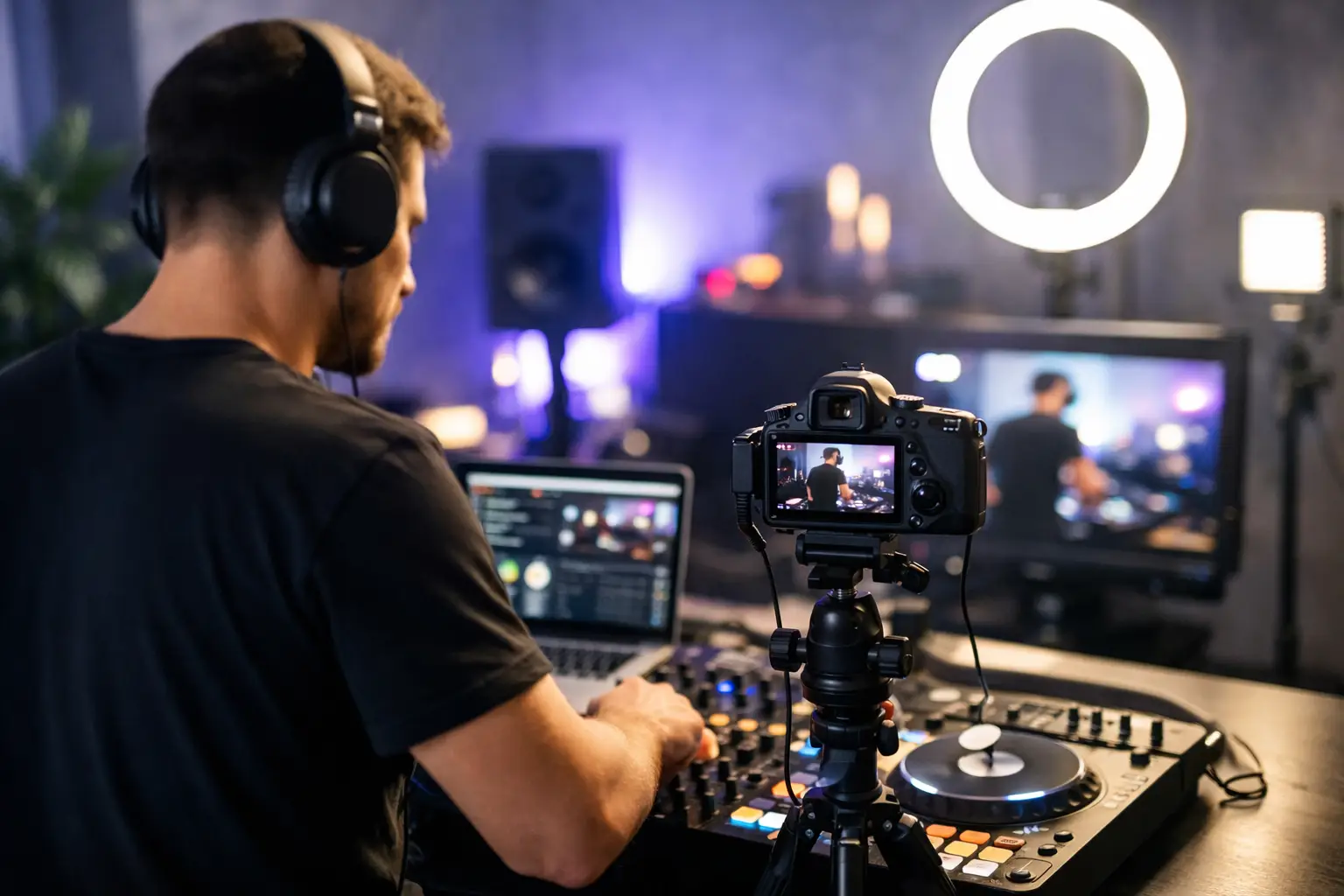
A shaky phone on a booth ledge might get you live, but it will not make people stay. If you want to learn how to live stream DJ sets in a way that builds a real audience, the game is bigger than hitting Go Live. Sound, camera framing, lighting, platform choice, and set flow all decide whether your stream feels like a quick test or a legit broadcast.
In dance music, viewers know the difference fast. They have seen festival streams, polished rooftop sessions, warehouse takeovers, intimate studio sets, and artist channels that treat every broadcast like a release. That is the standard now. The good news is you do not need a huge production team to get there. You do need a setup that respects the music and the audience.
How to live stream DJ sets without killing the vibe
The first rule is simple: audio matters more than almost anything else. People will forgive a camera that is not cinema-grade. They will not stick around for clipped bass, distorted highs, or a room mic that makes your mix sound like it is coming from the back of a bar.
If you are serious about learning how to live stream DJ sets, start by pulling clean audio directly from your mixer or controller into an audio interface or streaming device. Avoid relying on your laptop mic or phone mic unless you are doing a raw, casual social hit on purpose. Even then, know that you are trading polish for speed.
Your second priority is stability. A great stream with random dropouts still feels amateur. Wired internet beats Wi-Fi almost every time. If you cannot go wired, get as close to your router as possible and test your upload speed before you go live. Streaming DJ content is not just about looking good. It is about holding a consistent signal from first track to final fade.
Then comes the visual side. You do not need ten camera angles and a touring crew, but you should think like a programmer, not just a performer. What does the audience see during transitions? Can they read your energy? Does the frame show your hands, your gear, and enough of the space to create atmosphere? Good livestreams feel intentional.
Build your setup around audio first
The cleanest beginner-to-intermediate route is a DJ mixer or controller feeding audio into your computer through an interface. From there, streaming software can send that signal to your platform of choice. This gives you much more control than a one-device shortcut.
Gain staging is where many streams fall apart. Your mix can sound strong in the room but destroy itself online if your output is too hot. Keep an eye on levels at every stage – on the mixer, in the interface, and in the streaming software. You want solid energy without redlining. Dance music needs impact, but the stream should still breathe.
There is also a creative call to make around ambient sound. A direct feed sounds crisp, but sometimes it can feel sterile, especially if people want the sense of being in the room with you. Some DJs blend a little room sound through a separate mic to capture crowd reaction, booth movement, or natural space tone. That can work beautifully if controlled well. Too much, and your low end gets muddy fast.
If vocals or shout-outs are part of your show, use a dedicated microphone. Speaking into a camera from three feet away while the monitors are pumping is a fast way to lose clarity. A simple vocal mic, set properly, makes your stream feel much more like a real media product.
Pick a video setup that matches your format
Not every DJ stream needs the same camera plan. A club-style stream, a scenic outdoor set, and an interview-plus-performance session all ask for different framing.
For most DJs, one well-placed camera is enough to start. Put it slightly above eye level or at chest height, frame both you and the decks, and make sure there is something visually clean behind you. If the background is cluttered, the stream feels smaller, even if the music is huge.
A two-camera setup is where things start to feel elevated. One wide shot captures your performance and room energy. A second angle can focus on your hands, mixer, or profile. Switching between them adds motion and helps viewers stay engaged during longer sets.
Phones can work surprisingly well if the lighting is good and you mount them securely. Dedicated cameras usually give you better depth and image control, but they are not mandatory on day one. Spend your money where the audience will notice the upgrade most. Usually, that is audio, internet reliability, and lighting before it is a premium camera body.
Lighting is the cheat code
Lighting changes everything. Even a modest room can look broadcast-ready with the right setup. Without it, expensive gear still looks flat.
You want your face and hands visible, your gear readable, and the room shaped with some depth. A key light in front of you, softened enough to avoid harsh shadows, does most of the heavy lifting. Then add color or accent lights behind you to create dimension. LED bars, tube lights, or practical room lights can all help.
The trade-off is real. If you go too dark and moody, your stream may look cool in person but muddy on camera. If you go too bright, it loses club energy. Test your look during the same time of day you plan to stream, especially if windows or sunset are part of the scene.
Choose platforms with your goals in mind
This is where strategy starts to matter. Some DJs stream to grow followers fast. Others stream to build a deeper branded audience, pitch promoters, or create replay content that lives beyond one night.
If your goal is discovery, social platforms can put you in front of new viewers quickly. If your goal is building an owned audience and a stronger catalog, you need to think beyond the live moment. Recorded sets, repackaged clips, artist interviews, and consistent session branding can do more for your long-term visibility than one stream that popped for 45 minutes.
Music rights are part of the equation too. This is one of the biggest it depends areas in live streaming. Some platforms are stricter than others, and some tracks may trigger mutes, takedowns, or replay restrictions. If you are using commercial releases, know the risk before you build your whole strategy around a single channel. A stream that disappears after the fact is not useless, but it limits the archive value.
Run the stream like a show, not just a set
The DJs who stand out on livestream are not always the ones with the fanciest gear. They are the ones who understand pacing.
Start strong. Your first few minutes matter more online than they do in a club because viewers can leave with one tap. Give them a reason to stay. That does not mean slamming peak-time tracks immediately. It means opening with intention.
Think in segments, even if your set is improvised. Maybe the first 20 minutes establish the groove, the middle section gets deeper or harder, and the final stretch goes emotional or anthemic. Viewers feel that arc, even if they cannot name it.
Talk to the audience when it fits your style, but do not force host energy if that is not your lane. A few real moments of connection beat constant chatter. Thank people for tuning in. Shout out a city. Mention a new release. Keep it human.
Branding helps too. A recurring stream name, a regular time slot, and consistent visual identity turn random broadcasts into a recognizable series. That is how sets become programming. It is also how audiences learn to come back.
Test before you go live
A proper test run saves you from the classic pain points: no audio in the stream, distorted master, lag between video and sound, dead batteries, overheating devices, and framing that somehow looked fine until you started moving.
Do a private test and watch it back on a second device. Listen on headphones and speakers. Check whether your stream is peaking when you hit your loudest transitions. Make sure notifications are off on any phone or laptop in the chain. Confirm power supplies are plugged in. Small mistakes look very big once the live badge is on.
And have a backup plan. Keep spare cables, power banks, and adapters nearby. If your main internet drops and mobile hotspot is available, know how fast you can switch. Professionalism in livestreaming is not just polish. It is recovery.
Make the replay work for you
A live DJ set should not end when the stream ends. The strongest creators treat each set like a content asset. Cut short clips. Pull a highlight transition. Save a quote if you spoke to the audience. Reuse stills for promos. Turn one performance into a week of visibility.
This is where a media-minded approach separates hobby streaming from career-building. One stream can feed your brand across multiple channels and help fans, promoters, and industry people understand your sound fast. That is a big reason platforms built around dance music culture have stayed relevant for years – they do not just go live, they build archives, recurring formats, and a recognizable home for the scene.
If you are figuring out how to live stream DJ sets at a higher level, think less about pressing a button and more about creating a repeatable experience people want to return to. The stream is the set, the visual, the room, the story, and the follow-through. Get that right, and you are not just broadcasting music – you are building presence.




Comments
This post currently has no comments.